
Issues with verification codes
If you are having issues with using verification codes when using our garden waste portal, we have put together some instructions to help.
You may also find it easier to use the portal on a desktop or laptop, rather than on a smartphone or tablet, if possible.
When you see this screen:
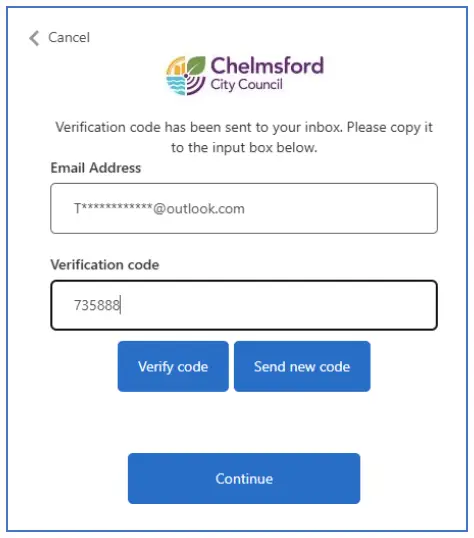
You need to enter the code you received via email and then click on the "Verify code" button.
You should make sure you click the button (via your mouse if using a PC or laptop, or by tapping the button on screen if you are using a mobile device).
The code will not work if:
- you press enter on your keyboard
- you click the continue button instead of the verify code button
- it is more than 10 minutes old
Once our system has successfully verified your code, you should see this screen:

You can then click continue to move on to the next step.
If you cannot see an email with the verification code, you should also check your junk/spam folder.